How to recover files and folders from formatted or reformatted hard drive?
Problem:
How do I unformat hard drive? I want to recover deleted files from formatted partition.
Solution:
- Boot the computer in DOS mode using bootable floppy disk
- Run Active@ UNERASER
- Position to the HDD containing formatted / re-partitioned drives
- Press [Ctrl]+[ENTER] to initiate the Extended Scan. If partition or logical drive is found, you are suggested to add them to the drive's list
- If drive parameters look similar to the one which you've deleted, press [Y] to add it to the drive's list, otherwise press [N] to scan further
- When your partition is properly detected and added to drive's list, position the cursor at the partition line and verify partition information
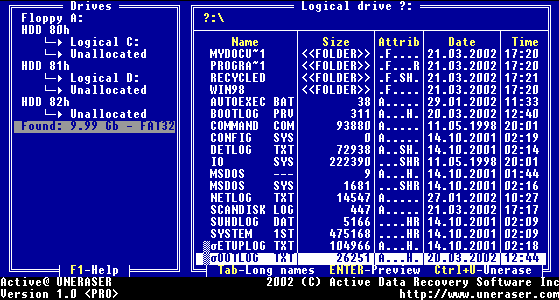
- Press [ENTER] to scan deleted partition for files and folders
- Continue recovery of files and folders from this virtual drive the same way as it's described in topics:

