I have Windows 2000 Operating System and the system drive is formatted as NTFS. I have accidentally deleted file(s) and emptied "Recycle Bin". I also deleted file bypassing the "Recycle Bin" [Shift]+[Del]. How can I recover them?
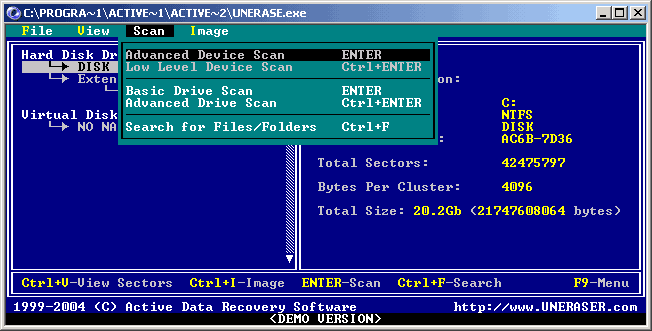 and scan it by pressing [ENTER]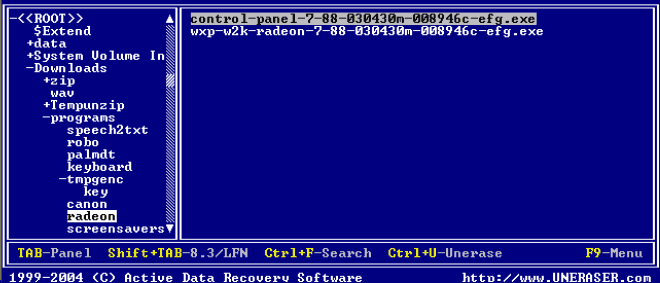
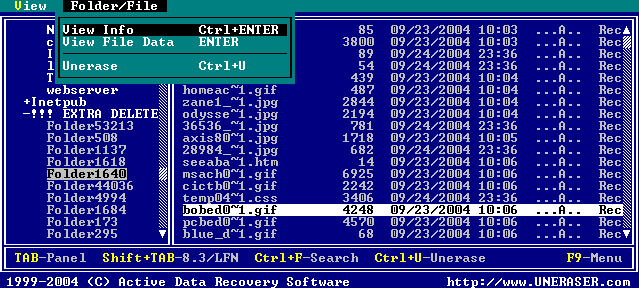 If file is not recoverable — an error message will appear
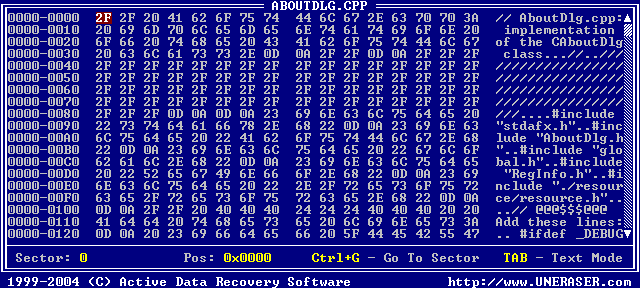 and then press OK to start recovery process
If you did not find the file in the folder where it was located before deleting, try to look in the UNASSIGNED folder that contains "orphaned" file(s) and folder(s), i.e. files and folders whose parent folders have been deleted and overwritten.
Files are not recoverable if overwritten with other data, or its header in the root folder is overwritten or damaged. Usually it happens when you save something onto the drive where deleted file is located.
DO NOT SAVE THE RECOVERED FILES ONTO THE SAME DRIVE FROM WHERE YOU RECOVERED THE FILE! While saving recovered file(s) or folder(s) onto the same drive where they are located, you can intrude in process of recovering by overwriting table records for this and other deleted entries. It's better to save data onto another logical, removable, network or floppy drive.
DO NOT SAVE/WRITE/INSTALL ANYTHING ONTO THE DRIVE CONTAINING YOUR IMPORTANT DELETED DATA THAT YOU WANT TO RECOVER! Even installing data recovery software to the same drive could make your sensitive data irrecoverable. Download and save Active@ UNERASER for DOS onto the bootable floppy and boot your system using the disk!

